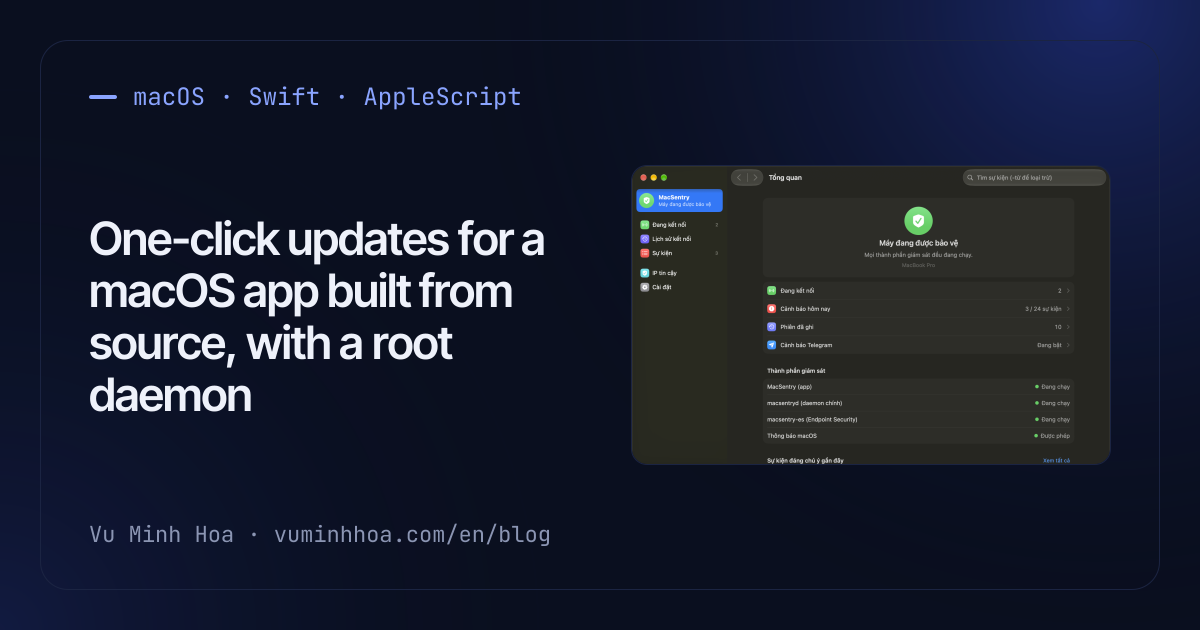
MacSentry, my open-source Mac security monitor, has no downloadable binaries. You clone it, run ./build.sh, and install a root daemon. That made updating a chore: git pull, build, sudo ./daemon/install.sh, then quit and reopen the app. How do you give an app like that an "Update Now" button, when the update needs a compiler, root, and replacing the app that is currently running?
It took three versions: 1.0 had no update check, 1.1 opened Terminal, 1.2 does it in place. The details that mattered: checking GitHub Releases politely, one admin prompt through AppleScript, swapping a running bundle, relaunching through launchd without tripping the app's own tamper alerts, and the text that crosses into a shell along the way.
Why the app does not download a new binary
Most Mac apps update by downloading a signed, notarized build and swapping it in. MacSentry's releases ship source only, and every install is built on the machine it runs on. I kept it that way on purpose: a monitor that runs as root is easier to trust when you can read and build exactly what runs.
So "update" can only mean what a person would do by hand in the source folder:
git pull --ff-only./build.shto build the app, the daemon and the Endpoint Security helper- reinstall the daemon as root, keeping its configuration
- replace the running app and start the new one
build.sh records that folder in the app's Info.plist (MacSentrySourceDir). If it is gone, is not a git repo, or has no executable build.sh, the button opens the releases page instead.
Checking GitHub Releases once a day
The check calls the latest release endpoint of the REST API. GitHub defines the latest release as the most recent non-prerelease, non-draft release, so drafts and pre-releases are filtered out on GitHub's side. Shortened from Sources/Updater.swift:
var req = URLRequest(url: Self.latestURL, timeoutInterval: 15)
req.setValue("application/vnd.github+json", forHTTPHeaderField: "Accept")
req.setValue("MacSentry/\(Self.currentVersion)", forHTTPHeaderField: "User-Agent")
GitHub's getting started guide says all API requests must include a valid User-Agent header and suggests the application's name.
The rest keeps it cheap and quiet:
- A timer every hour, a check at most every 24 hours. A Mac sleeps overnight, and a timer that fires once every 24 hours can fire long after a check was due. An hourly timer that only checks when the last success was a day ago catches up soon after the Mac wakes.
- Wait 30 seconds after launch. At login the network is often not ready yet.
- A 404 means "no release yet", not an error. Settings shows "up to date", not a red failure.
- Notify once per version. A release you skip does not nag you daily. A check you start yourself shows its result in Settings and sends no notification.
Versions compare numerically per part (1.10.0 is newer than 1.9.0) and ignore anything after a -, so 1.2.0-beta equals 1.2.0. That is fine only because the endpoint never returns pre-releases.
One admin prompt with do shell script
Version 1.1 only wrote the commands to an update.command file and opened it in Terminal, where you typed the sudo password yourself. In 1.2 the app runs the steps itself, and the only one that needs root is reinstalling the daemon. Apple's Technical Note TN2065 documents the standard way to run one shell command as root from an app: AppleScript's do shell script with with administrator privileges, which shows the system password dialog. Shortened from Sources/DaemonInstaller.swift (comments and UI strings translated):
let cmd = "SUDO_USER=\(Shell.quote(user)) \(Shell.quote(dir + "/daemon/install.sh")) --auto 2>&1"
let source = "do shell script \"\(cmd.replacingOccurrences(of: "\\", with: "\\\\").replacingOccurrences(of: "\"", with: "\\\""))\""
    + " with prompt \"\(L("MacSentry needs administrator access to install its monitoring daemon."))\" with administrator privileges"
var err: NSDictionary?
// NSAppleScript (not osascript) so the dialog carries MacSentry's name
let out = NSAppleScript(source: source)?.executeAndReturnError(&err)
if let err {
    if (err[NSAppleScript.errorNumber] as? Int) == -128 { return L("Cancelled") }
    return err[NSAppleScript.errorMessage] as? String ?? L("Daemon installation failed")
}
Three details in those lines:
- Two layers of quoting. The command is a shell string inside an AppleScript string.
Shell.quotewraps each value in single quotes (with'written as'\'') for the shell. Then backslashes and double quotes are escaped for AppleScript. Skipping either layer lets a folder name with a quote in it change the command. TN2065 recommendsquoted form ofwhen the string is built in AppleScript. Here it is built in Swift, so the Swift code does the same job. NSAppleScriptin the app, not/usr/bin/osascript. Run in-process, the password dialog names MacSentry, anddo shell scriptneeds no Automation permission because it does not talk to another app.- Error -128 is Cancel, shown as "Cancelled", not as a failure.
install.sh got an --auto mode for this: no questions, keep the existing /etc/macsentry.conf. It also turns itself on when standard input is not a terminal ([ -t 0 ] || AUTO=1), because a script run through do shell script has nobody to answer its prompts.
Each step stops the update, and the running app is replaced last
The update runs on a background queue and returns the first error it meets (shortened, strings translated):
var r = Shell.run("/usr/bin/git", ["pull", "--ff-only"], in: dir)
guard r.ok else { return L("git pull failed: %@", r.tail) }
r = Shell.run(dir + "/build.sh", ["--no-install"], in: dir)
guard r.ok else { return L("Build failed: %@", r.tail) }
if let e = DaemonInstaller.runScript(dir) { return e }
return Self.replaceApp(with: dir + "/build/MacSentry.app")
The order is the safety property. A failed pull (local changes, a diverged branch: --ff-only refuses to merge) or a failed build stops before anything installed changes, and the last three lines of output show up in Settings. A failure before the daemon step leaves everything installed as it was, with the old app still running. A failure in the last step leaves the new daemon next to the old app, which keeps running. Either way, the source folder may already be at the new commit.
Replacing the bundle that is running
Instead of copying over the old app, which would leave it half old and half new for a moment, the new build is copied next to it under a temporary name and swapped in (shortened):
let tmp = dest.deletingLastPathComponent().appendingPathComponent(".MacSentry-update.app")
try? fm.removeItem(at: tmp)
try fm.copyItem(at: src, to: tmp)
_ = try fm.replaceItemAt(dest, withItemAt: tmp)
Apple documents replaceItemAt as replacing the item at a URL "in a manner that ensures no data loss occurs". Keeping the temporary copy in the same folder keeps the swap on one volume. The running process keeps executing code it has already loaded, and it restarts right after the swap, so it has little chance to load anything from the new bundle by mistake.
Relaunching through launchd without a false alarm
The app is kept alive by a per-user launchd job with KeepAlive set to SuccessfulExit: false. The launchd.plist man page defines true as "restarted as long as the program exits and with an exit status of zero", and false as the inverse: launchd restarts the app whenever it exits with a non-zero status. That is part of making the monitor hard to silence, and it also makes the restart free:
static func relaunch() {
    UserDefaults.standard.set(currentVersion, forKey: updatedFromKey)
    UserDefaults.standard.synchronize()
    Monitor.stopHelper()
    if LaunchAtLogin.runningUnderLaunchd { exit(1) }
    NSWorkspace.shared.openApplication(at: URL(fileURLWithPath: Bundle.main.bundlePath), configuration: .init()) { _, _ in exit(0) }
}
exit(1) makes launchd start the binary at the same path, which is now the new version. Calling exit directly also skips applicationWillTerminate, and that matters: that handler sends "MacSentry (app) was terminated" to Telegram, because a monitor that is quit should say so. An update is a quit you asked for, and it should not look like tampering.
The app stores the version it is updating from before it exits. The new process finds that key on start, removes it, and, if its own version differs, shows one notification ("MacSentry Updated to 1.2.0") saying that settings were kept. If the build did not change the version, nothing is shown.
Text that reaches a shell or AppleScript
An app that can run a script as root is only as safe as every place where text turns into code. Two of these fixes landed in the hardening pass before 1.0, the third came with the --auto install in 1.2:
Notification text as arguments. When notification permission is missing, the app falls back to
osascriptwithdisplay notification. That text used to be pasted into the AppleScript source, and alert text contains things an attacker controls, like process and file names. It now goes throughargv, so no part of it can be evaluated as script:p.arguments = ["-e", "on run argv", "-e", "display notification (item 1 of argv) with title (item 2 of argv) sound name \"Sosumi\"", "-e", "end run", body.replacingOccurrences(of: "\n", with: " "), title]The osascript man page says arguments after the script are passed as a list of strings to the run handler. They are values the script reads, never source it compiles.
Validate before
sed, and not only there. In--automode, when a daemon config already exists,install.shfills in the app's Telegram token withsedonly if the token and chat ID match^[A-Za-z0-9:_-]+$. A value with|would otherwise rewrite thesedexpression. In 1.2.0 a fresh config is written withprintfand no such check, so a newline in the app's settings file could add a line such asES_EXEC=0to the root-owned config. An unreleased fix now validates them before either write.Files private from the first byte. The token file used to be written with the default mode and then changed to 0600, leaving a moment where other users could read it. The data folder is now created with mode 0700, and each file is written to a 0600 temporary file and renamed into place.
What this design still trusts
- The git remote. The update runs whatever
git pullbrings. Nothing checks a signature on the commit or the tag. Someone who controls the repository, or the GitHub account, controls the next build.git verify-tagagainst a known key would close that, and it is not implemented. - A folder the user owns. The source folder belongs to the user, and the admin prompt runs
install.shfrom it as root. Malware running as the user could edit that script, wait for the next update, and get root from the password you type. That was already true ofsudo ./daemon/install.shby hand, but a routine prompt from a trusted app is easier to approve without thinking. Copying the scripts and binaries to a root-owned folder before running them would shrink that window. - Permissions only survive with a real certificate.
build.shsigns with an Apple Development certificate if there is one. Without it the build is signed ad hoc, macOS sees each build as a new identity, and Full Disk Access and Local Network must be granted again after every update, although the notification says settings were kept. - The release check is informational. It only decides when to show the button. The code that runs comes from the branch, not from the tag GitHub reported.
None of these is new with the button, but the button makes them easier to forget.
Summary
- An app that builds from source can still update itself: pull, build, reinstall the root part, replace the app, restart. The order matters: a failure before the root step changes nothing installed.
- Call GitHub's latest-release endpoint with a named
User-Agent, check hourly but at most daily after a success, treat 404 as "no release", and notify once per version. do shell script ... with administrator privilegesthroughNSAppleScriptgives one system password prompt with your app's name. Quote for the shell, then escape for AppleScript, and treat error -128 as Cancel.- Copy the new bundle next to the old one and swap it with
replaceItemAt. - With
KeepAliveandSuccessfulExit: false,exit(1)is a restart. SkippingapplicationWillTerminatekeeps a requested restart from looking like tampering. - Pass user-influenced text to
osascriptthroughargv, validate values beforesed, and create secret files with their final permissions. - The root step still trusts the git remote and a user-owned folder. Signed tags and a root-owned staging folder are the next steps.
If you've built self-updating for a Mac tool that needs root, especially without a notarized binary, I'd love to compare notes. My email is on the home page.